ERPNext v16.55: Latest Features, Updates and Improvements
Explore ERPNext v16.55 updates, including financial reporting, payment processing, inventory management and user permissions, and understand what these changes mean for businesses.
ERPNext v16.55: What Should Businesses Know About the Latest Update?
ERPNext just got another update. From consolidated financial reports to improved inventory validations and transaction processing, ERPNext v16.55 introduces several changes that businesses should understand.
Every business depends on accurate information to make operational and financial decisions. Finance teams need reliable reports, manufacturing teams need accurate stock quantities, and management needs to know whether business transactions are being recorded correctly.
This is where regular ERP software updates become important.
On November 12, 2026, ERPNext v16.55.0 was released with new accounting features, performance improvements and several bug fixes across different areas of the system.
But what has actually changed? And how do these updates affect businesses using ERPNext?
Let's explore the six important areas of ERPNext v16.55 and understand their practical relevance.
What Is ERPNext v16.55?
ERPNext v16.55 is an update to ERPNext, the open-source enterprise resource planning (ERP) software developed by Frappe.
The release introduces improvements to financial reporting, payment processing, stock management, user permissions and transaction validation.
Some changes introduce new reporting options, while others correct existing system behaviour or improve how transactions are processed.
Here is a quick overview:
| Area | What has changed |
|---|---|
| Financial reporting | Consolidated Accounts Receivable and Accounts Payable reports |
| General Ledger | Reporting-date exchange rate option |
| Payment processing | Reduced repeated data lookups and addressed a database deadlock cause |
| Stock management | Corrected stock reservation behaviour |
| Inventory validation | Additional quantity and Unit of Measure checks |
| User permissions | Improved access checks and safer handling of data-changing actions |
Let's look at each improvement in detail.
1. Consolidated Accounts Receivable and Accounts Payable Reports
Managing finances becomes more complicated when a business operates through multiple companies.
For example, a business group may have separate companies handling manufacturing, distribution and retail. Each company maintains its own financial transactions, customer records and supplier payments.
When management wants to understand the group's outstanding receivables and payables, reviewing individual company reports can take additional effort.
What's new in ERPNext v16.55?
ERPNext introduces consolidated Accounts Receivable and Accounts Payable reports.
These reports allow businesses to view outstanding customer and supplier balances across multiple companies in one view.
How does this help businesses?
Consider a business group operating three companies.
Its finance team may need to answer questions such as:
- How much money is pending from customers across the companies?
- What are the outstanding supplier payments?
- Which customer balances require follow-up?
- What are the group's outstanding financial commitments?
Consolidated reporting provides a broader view of these balances without requiring management to review each company's report separately.
Business relevance: This improvement is particularly useful for multi-company businesses, holding companies and organisations managing several legal entities through ERPNext.
2. Reporting-Date Exchange Rate Option in General Ledger
Businesses involved in international trade regularly deal with transactions in different currencies.
For example, an Indian company may purchase materials from a supplier in the United States and record the transaction in USD while maintaining its company accounts in INR.
Exchange rate differences can affect how financial figures appear in reports.
What's new in ERPNext v16.55?
The General Ledger report now includes an option called Convert at Reporting Date Exchange Rate.
For accounts sharing a foreign currency, this option allows company-currency amounts to be presented using the exchange rate applicable on the report's To Date.
How does this help businesses?
Finance teams can review relevant foreign currency account balances using the exchange rate associated with the reporting period's end date.
This can be useful when reviewing financial information for businesses that regularly handle international purchases, sales and foreign currency balances.
Business relevance: Importers, exporters and companies handling multiple currencies may find this reporting option useful when reviewing their financial statements.
3. Improved Payment Entry and Sales Invoice Processing
Payment Entry and Sales Invoice are frequently used documents in ERPNext.
Whenever a business records a customer payment or submits a sales invoice, the system processes several related financial details.
For businesses handling a high volume of transactions, the way these documents are processed can affect overall system performance.
What's changed in ERPNext v16.55?
The update reduces repeated data lookups when saving or submitting Payment Entry and Sales Invoice documents.
It also addresses a cause of database deadlocks that could occur when multiple Payment Entry records were created at the same time.
Why does this matter?
Imagine a finance team where multiple employees record customer payments throughout the day.
When several transactions are processed simultaneously, database-level issues can affect transaction handling.
Reducing repeated data lookups and addressing a known deadlock cause helps improve the processing of these frequently used ERPNext documents.
This is a technical improvement that may be particularly relevant to businesses with busy finance departments and higher transaction volumes.
Business relevance: Retail, distribution, trading and service businesses that process frequent invoices and payments.
4. More Consistent Stock Reservation Behaviour
Inventory management is an important part of manufacturing, distribution and trading operations.
Consider a manufacturing company preparing a Work Order for a particular product. The production team needs raw materials to complete the job.
Stock reservation settings determine whether available materials should be reserved for specific business requirements.
However, incorrect reservation behaviour can make available stock figures difficult to interpret.
What's changed in ERPNext v16.55?
ERPNext has corrected stock reservation behaviour in the following documents:
- Work Order
- Production Plan
- Subcontracting Order
- Sales Order
When Enable Stock Reservation is disabled in Stock Settings, a previously selected Reserve Stock option in these documents will no longer create stock reservations when the document is submitted.
Why does this matter?
The system now follows the configured Stock Settings more consistently in these situations.
This helps businesses avoid unintended reservations when stock reservation is disabled.
For manufacturing companies, accurate stock reservation behaviour is important when reviewing material availability and planning production activities.
Business relevance: Manufacturing, distribution and trading businesses that depend on accurate inventory availability.
5. Additional Quantity and Unit of Measure Validations
A small quantity error can affect purchasing, inventory and production records.
Consider a company that purchases raw materials in boxes but maintains its inventory in individual pieces.
If the Unit of Measure conversion is incorrect, the recorded stock quantity may not reflect the actual quantity received.
ERPNext uses Units of Measure (UoM) and conversion factors to handle these differences.
What's changed in ERPNext v16.55?
The update introduces additional whole-number quantity validations, including stock-unit quantities, across several documents:
- Purchase Order
- Subcontracting Order
- Subcontracting Receipt
- Material Request
- Supplier Quotation
- Request for Quotation
- Pick List
It also rejects disabled Units of Measure in Item records and transactions.
Additionally, the update prevents certain UoM merges that could create duplicate conversion entries for an Item.
Why does this matter?
These validations help prevent incorrect quantity entries and inconsistencies in Unit of Measure configurations.
For businesses that handle different purchasing and stock units, maintaining accurate quantity records is essential.
For example, a manufacturing company purchasing materials in kilograms but managing stock in grams needs consistent conversion values to maintain reliable inventory information.
Business relevance: Manufacturing, wholesale, distribution and businesses handling multiple Units of Measure.
6. Improved User Permissions and Safer Transaction Handling
An ERP system contains financial, customer, supplier and operational information.
Not every employee should have permission to access or modify every record.
For example, a purchase executive may need access to supplier information, while certain financial operations should remain restricted to authorised finance users.
What's changed in ERPNext v16.55?
The release includes several improvements to permission checks and transaction handling.
Some important changes include:
- CRM now checks edit permissions before linking Contact and Address records or reusing an existing Customer.
- Running Bank Transaction Rules requires edit access to Bank Transaction records.
- Invoice discounting and Bank Clearance operations apply relevant company and user access checks.
- Warehouse stock and order lookups in Production Plan respect user permissions.
- Data-changing actions such as email, import and account-merging operations can no longer be triggered simply by opening a link. Queued work starts only after the related document is saved.
Why does this matter?
These changes help ERPNext apply user permissions more consistently and prevent certain processing actions from being initiated through an unintended request.
For businesses with multiple departments and different user roles, permission management is an important part of maintaining appropriate access to business records.
Business relevance: Growing businesses, multi-branch organisations and companies with role-based access requirements.
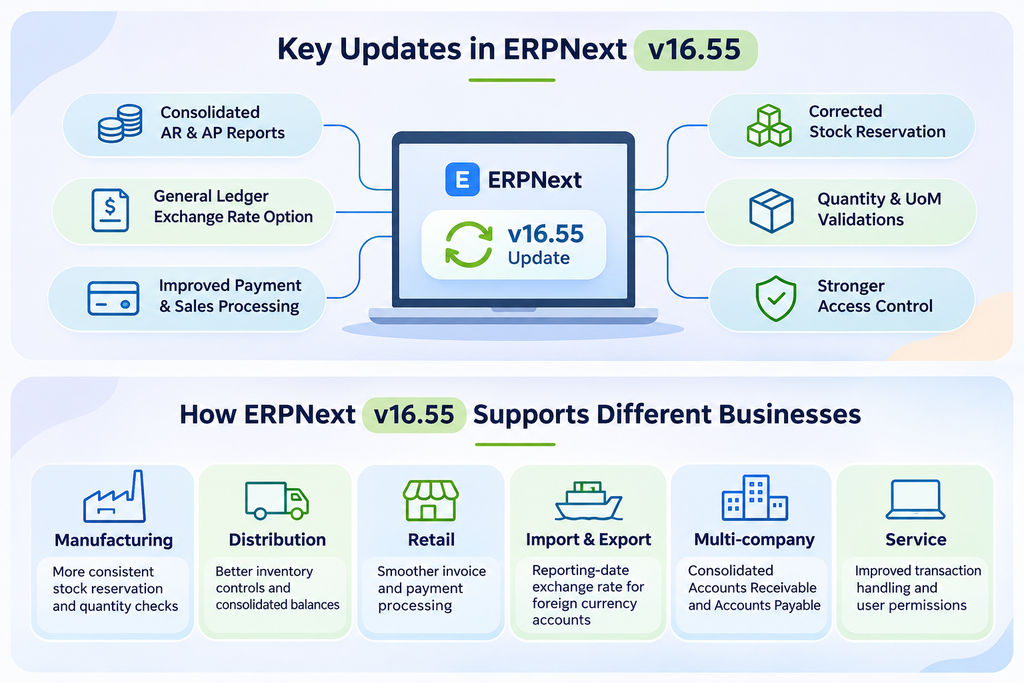
How Do ERPNext v16.55 Updates Apply to Different Industries?
ERPNext supports different business models, from manufacturing and distribution to retail and service operations.
The relevance of each update depends on the way a company uses the system.
| Industry | Relevant ERPNext v16.55 changes |
|---|---|
| Manufacturing | Stock reservation behaviour and quantity validations |
| Distribution | Inventory quantity controls and consolidated financial reports |
| Retail | Payment Entry and Sales Invoice processing improvements |
| Import and Export | General Ledger reporting-date exchange rate option |
| Multi-company businesses | Consolidated Accounts Receivable and Accounts Payable |
| Service businesses | Invoice processing and user permission improvements |
These updates do not automatically change every business workflow. Their impact depends on the ERPNext configuration, installed applications and processes followed by each organisation.
Should Businesses Upgrade to ERPNext v16.55?
Keeping ERPNext updated is important, but upgrading a live business system requires proper planning.
An ERP environment may include custom applications, scripts, third-party integrations and configurations developed around existing business processes.
Applying an update without checking these dependencies can create compatibility issues.
Before upgrading to ERPNext v16.55, businesses should consider the following:
1. Review Existing Customizations
Check whether custom applications, scripts, integrations and workflows are compatible with the target version.
2. Take a Complete Backup
Create and verify backups of the database and associated files before starting the upgrade.
3. Test the Update in a Staging Environment
Install the update in a test environment and verify important business transactions before applying it to the live system.
4. Check Accounting and Inventory Workflows
Test Payment Entry, Sales Invoice, Purchase Invoice, stock reservations, Units of Measure and financial reports.
5. Review User Permissions
Verify that employees can access the records and perform the activities required for their roles.
6. Check Custom Application Compatibility
Confirm that installed Frappe applications and custom dependencies are compatible with the target ERPNext and Frappe Framework versions.
A planned upgrade gives businesses an opportunity to identify compatibility issues before they affect daily operations.
What Should ERPNext Users Take Away From Version 16.55?
ERPNext v16.55 includes a combination of new reporting capabilities, performance improvements and corrections to existing system behaviour.
For finance teams, consolidated Accounts Receivable and Accounts Payable reports offer a broader view of outstanding balances across companies.
For inventory teams, additional quantity validations and corrected stock reservation behaviour help maintain more consistent stock records.
For system administrators, improvements to user permissions and transaction handling address important areas of ERP management.
These changes demonstrate why businesses should review ERPNext release notes regularly rather than treating software updates as routine technical announcements.
At Tridots Tech, a Frappe Gold Partner, we follow developments across the ERPNext and Frappe ecosystem to understand how product changes affect business operations, implementation decisions and ongoing ERP management.
Final Thoughts
ERPNext v16.55 is more than a collection of technical changes. Its updates address practical areas of business management, including financial reporting, payment processing, inventory accuracy and user permissions.
However, not every improvement will have the same impact on every organisation.
A manufacturing company may be more interested in stock reservation and quantity validations, while a multi-company business may find consolidated financial reporting more relevant.
Understanding these changes helps ERPNext users identify improvements that matter to their own operations and plan their software upgrades accordingly.
As ERPNext continues to evolve, staying informed about its releases is an important part of maintaining a reliable and well-managed business system.
Frequently Asked Questions About ERPNext v16.55
1. What is ERPNext v16.55?
ERPNext v16.55.0 is an update released on November 12, 2026. It introduces consolidated Accounts Receivable and Accounts Payable reports, adds a reporting-date exchange rate option in General Ledger, improves transaction processing and includes several inventory and permission-related fixes.
2. What are the major new features in ERPNext v16.55?
The main new accounting features are consolidated Accounts Receivable and Accounts Payable reports and the Convert at Reporting Date Exchange Rate option in General Ledger. The release also includes payment processing performance improvements and multiple bug fixes.
3. How does ERPNext v16.55 improve financial reporting?
ERPNext v16.55 allows businesses to view outstanding customer and supplier balances across multiple companies through consolidated reports. It also adds an option to use the reporting-date exchange rate for relevant foreign currency accounts in the General Ledger.
4. How does ERPNext v16.55 improve inventory management?
The update corrects stock reservation behaviour when stock reservation is disabled in Stock Settings. It also introduces whole-number quantity validations and additional Unit of Measure checks across purchasing, subcontracting and stock documents.
5. Does ERPNext v16.55 improve payment processing?
Yes. The update reduces repeated data lookups when saving or submitting Payment Entry and Sales Invoice documents. It also addresses a cause of database deadlocks when multiple Payment Entry records are created simultaneously.
6. Should businesses upgrade to ERPNext v16.55?
Businesses should review the release notes, check compatibility with their custom applications and integrations, create verified backups and test the update in a staging environment before upgrading their live ERPNext system.
7. Where can businesses find the official ERPNext v16.55 release notes?
The official ERPNext v16.55.0 release notes are available on the ERPNext GitHub Releases page. They provide the detailed list of features, performance improvements and bug fixes included in the release.
No comments yet. Login to start a new discussion Start a new discussion