Request a Quote

Modules

Industries

Clear Docs. Smarter Teams. 

Frappe Wiki Implementation &

Customization Services

We help businesses implement and customize Frappe Wiki to build internal knowledge bases, documentation portals, SOP repositories, and team wikis. From setup and customization to migration and training, we help teams organize and manage knowledge more effectively.

Collaborative Editing

Structured Organization

Conversation History

Built-In Automation

Frappe HR SVG Animation

Code Smarter. Not Harder

Build Powerful, Custom

Web Applications with Frappe Framework

Open-source, low-code framework built on Python and JavaScript — perfect for rapidly developing scalable, secure, and dynamic business apps.

Low-Code Python Framework

API-Ready

Role-Based Access

DocTypes

Real-Time Updates

Wiki

Clear Docs. Smarter Teams.

Bring Clarity to Your Docs with Frappe Wiki

We help you launch a scalable, easy-to-manage knowledge hub tailored for your Frappe or ERPNext workflows.

Collaborative Editing

Structured Organization

Conversation History

Built-In Automation

Frappe HR SVG Animation
Connection 6

Clear Docs. Smarter Teams.

Bring Clarity to Your Docs with Frappe Wiki

We help you launch a scalable, easy-to-manage knowledge hub tailored for your Frappe or ERPNext workflows.

Wiki

Discount Percent Coupon Streamline Icon: https://streamlinehq.com

Collaborative Editing

Binoculars Streamline Icon: https://streamlinehq.com

Structured Organization

Stopwatch Three Quarter Streamline Icon: https://streamlinehq.com
Version Control
Sun Streamline Icon: https://streamlinehq.com
Role-Based Access
Pen Tool Streamline Icon: https://streamlinehq.com
Seamless ERPNext Integration

Frappe wiki

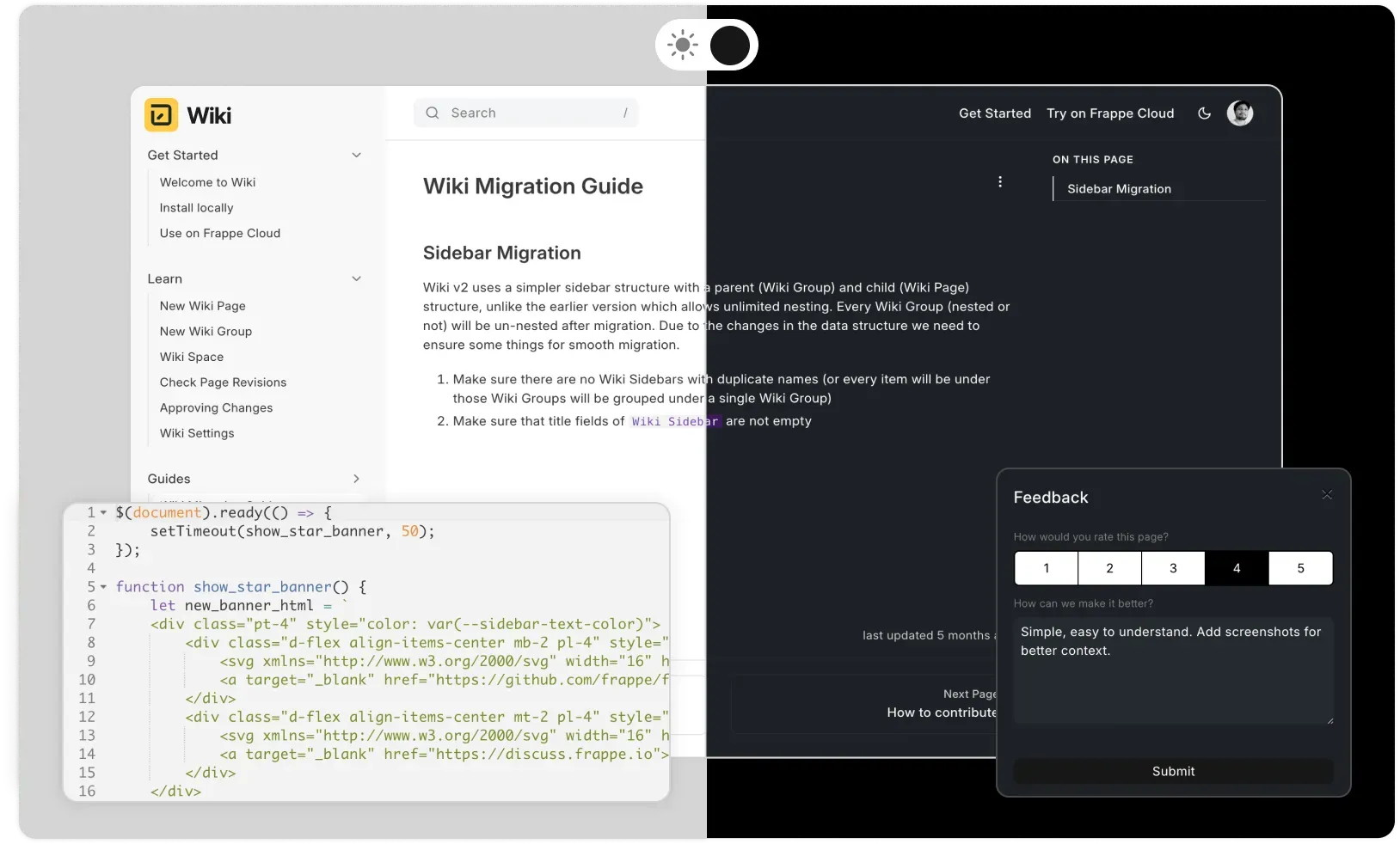
Frappe Wiki helps organizations organize policies, procedures, project documentation, technical guides, and internal knowledge in a searchable, structured workspace. It serves as a centralized company wiki where teams can create, manage, and maintain documentation across departments.

Core features

Quickly create pages and link them

Create and link pages effortlessly for fast, connected documentation.

One-click page creation using a simple markdown editor.

Instantly link related pages for seamless navigation.

Ideal for organizing SOP documentation, user guides, policies, and operational procedures.

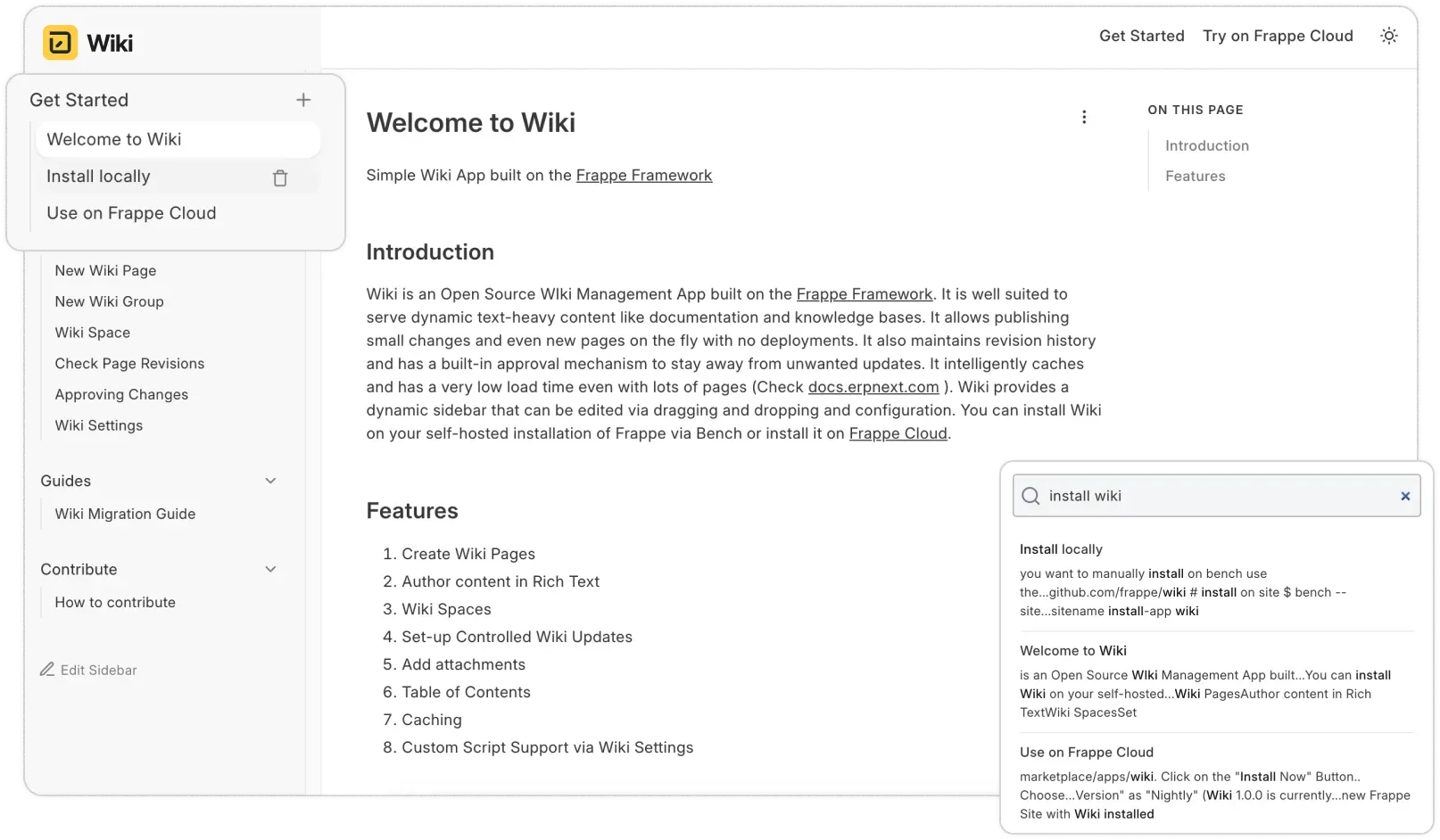
Organize Knowledge with Structured Navigation

Organize content with clear navigation and structure to support effective knowledge management across teams.

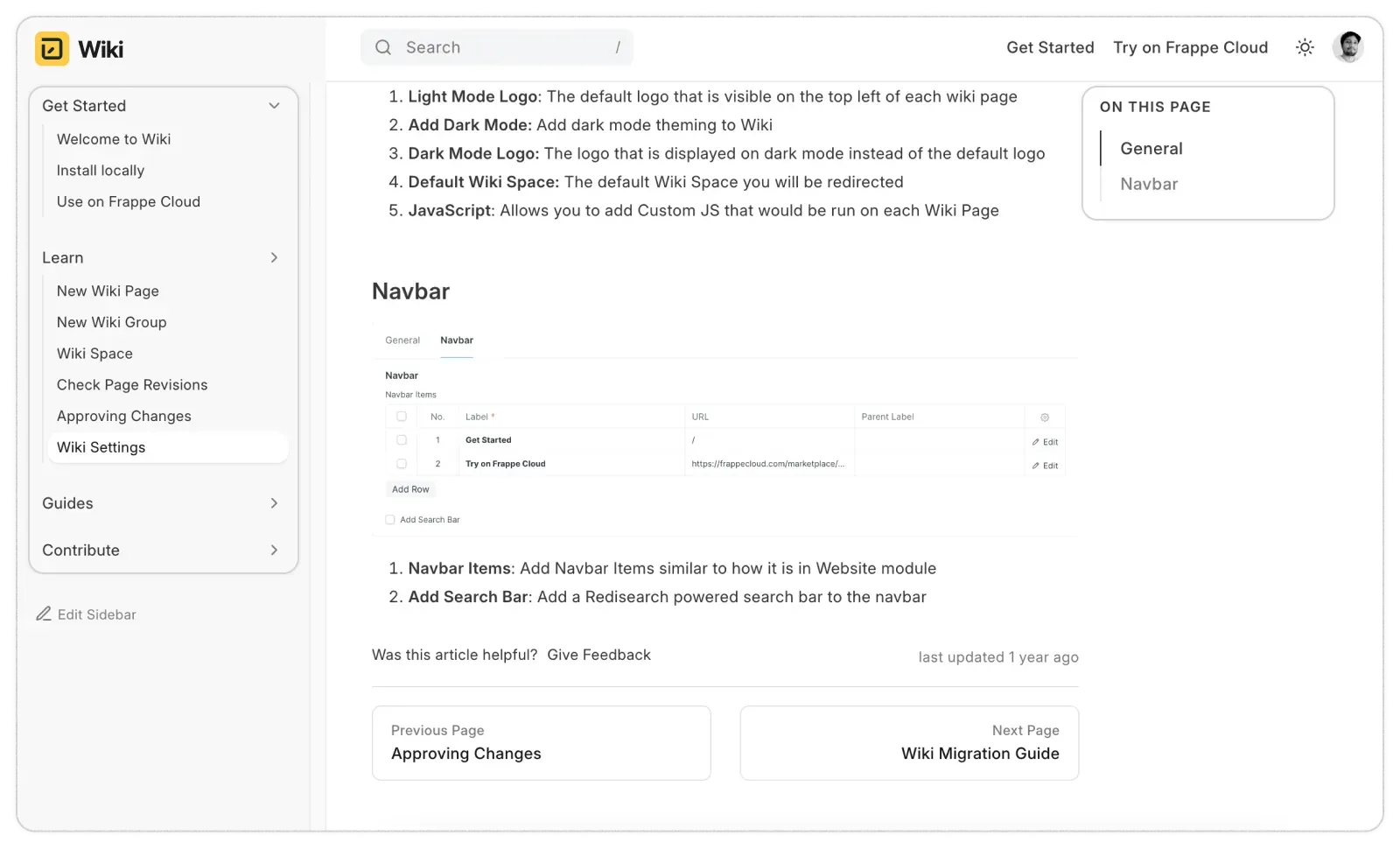
Drag-and-drop sidebar to organize topics and sub-topics easily.

Supports hierarchical arrangement for complex documentation.

Auto-generated table of contents for quick section navigation.

Review and Approve Content Before Publishing

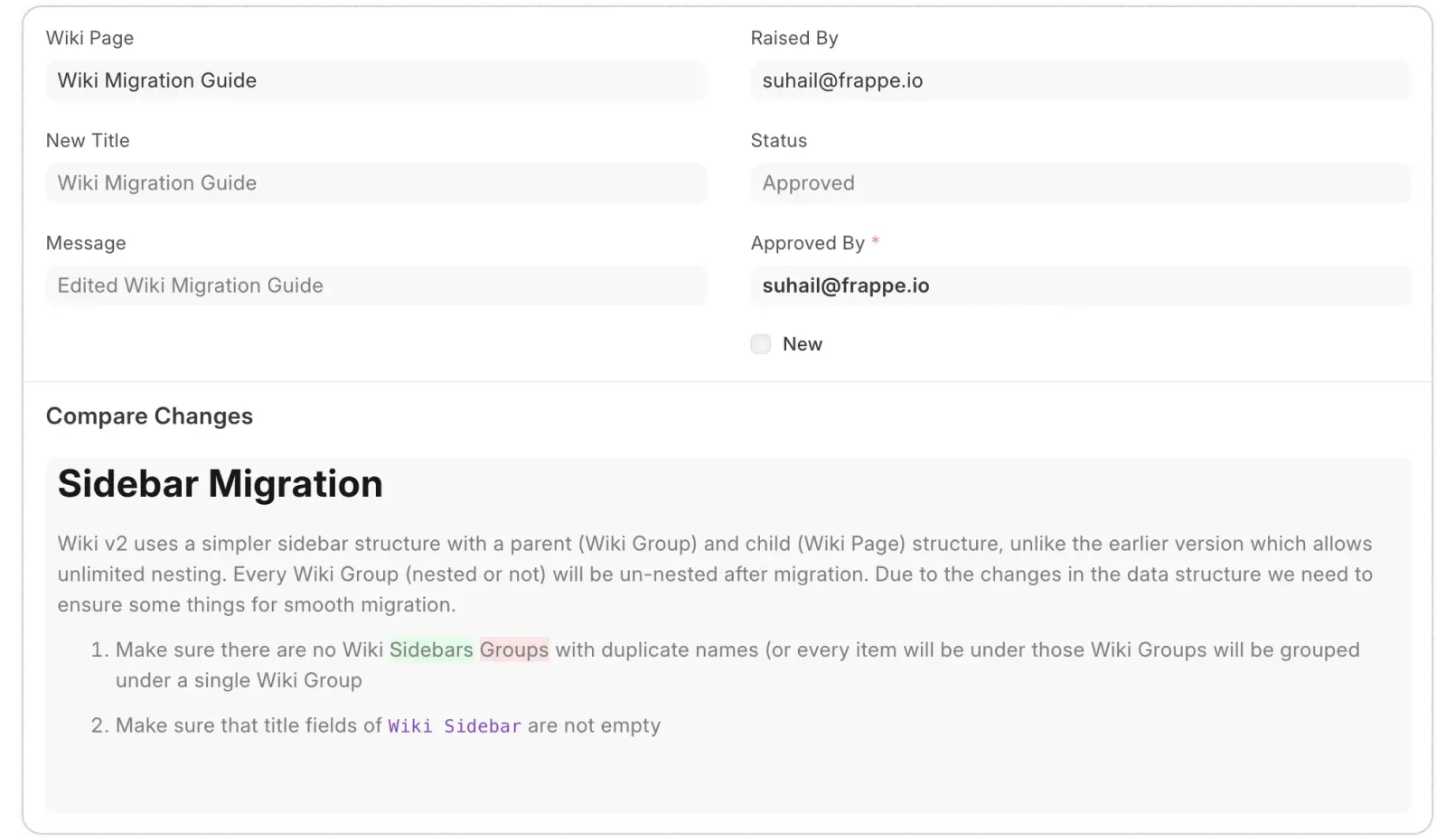
Review and approve edits before publishing to maintain content quality.

Controlled publishing with draft mode for edits pending review.

Define roles for who can publish directly versus who needs approval.

Clear audit trails track contributors and approvers for accountability.

Keep Track of Changes Over Time

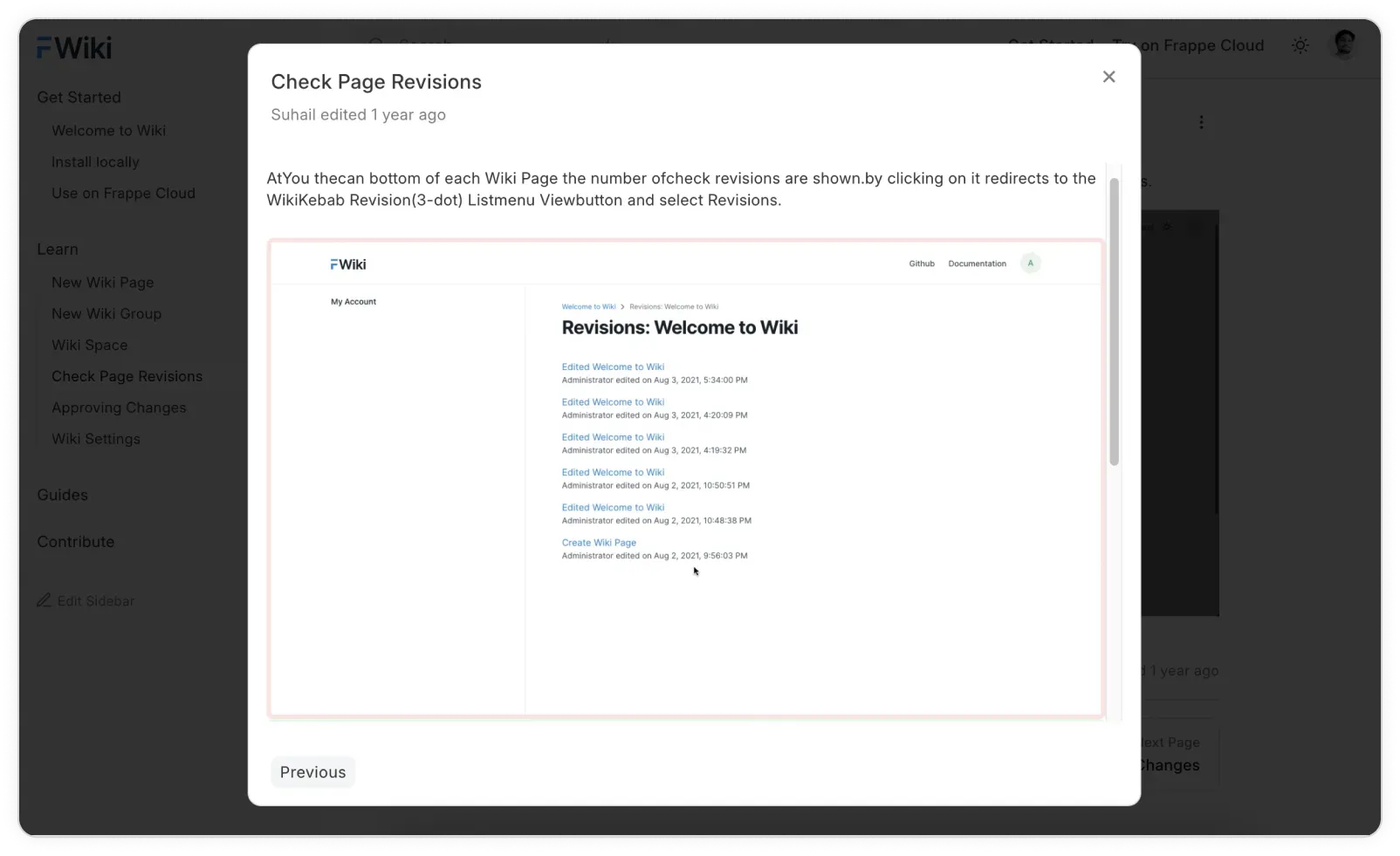
Track every edit with version history and restore content when needed.

Detailed version control with timestamps and author info.

Side-by-side diff comparisons for easy review of edits.

One-click rollback to previous versions to recover lost or unwanted changes.

Customize with Ease

Easily personalize layouts, themes, and settings to fit your style.

Supports customizable themes (dark/light mode) and flexible URL routing.

Easy integration of HTML/JavaScript for advanced customization.

Powerful search powered by RediSearch plus optional feedback tools like ratings and comments.

Faq's

Common Questions & Answers

Get the clarity you need with these commonly asked questions.

What is Frappe Wiki used for?
Frappe Wiki is used to create and manage internal documentation, technical documentation, SOPs, policies, employee handbooks, and organizational knowledge in a centralized workspace.
Is Frappe Wiki suitable for growing teams?
Yes. Frappe Wiki scales with your organization and helps maintain a reliable internal knowledge base as teams, processes, and documentation grow.

Can Frappe Wiki be used for SOP documentation?

Yes. Frappe Wiki is well-suited for SOP documentation, allowing teams to create, organize, update, and maintain standard operating procedures in a centralized location.
Can we migrate our existing documentation to Frappe Wiki?

We help you move it over smoothly — whether it’s from Word, Google Docs, or other tools.

What happens if someone makes a mistake?

No worries! Every change is tracked. You can review, compare, and even roll back to previous versions.

Will it grow with our team?

Absolutely. Frappe Wiki is built to scale as your team and content grow.

Can we limit who can make changes?

Yes. You control who can edit, suggest, or approve changes — no one can publish unless you allow it.

Is support available after launch?

Yes. We’re here for training, updates, and ongoing support whenever you need it.

Ready to streamline your documentation?

Let Tridots Tech implement Frappe Wiki for you—secure, scalable, and tailored to your workflow.

Contact  us

Let's create something new !

Full name is required*
+93
+358
+355
+213
+1
+376
+244
+1
+672
+1
+54
+374
+297
+61
+43
+994
+1
+973
+880
+1
+375
+32
+501
+229
+1
+975
+591
+599
+387
+267
+47
+55
+246
+673
+359
+226
+257
+855
+237
+1
+238
+1
+236
+235
+56
+86
+61
+61
+57
+269
+242
+243
+682
+506
+385
+53
+599
+357
+420
+45
+253
+1
+1
+593
+20
+503
+240
+291
+372
+251
+500
+298
+679
+358
+33
+594
+689
+262
+241
+220
+995
+49
+233
+350
+30
+299
+1
+590
+1
+502
+44
+224
+245
+592
+509
+672
+39
+504
+852
+36
+354
+91
+62
+98
+964
+353
+44
+972
+39
+225
+1
+81
+44
+962
+7
+254
+686
+850
+82
+965
+996
+856
+371
+961
+266
+231
+218
+423
+370
+352
+853
+389
+261
+265
+60
+960
+223
+356
+692
+596
+222
+230
+262
+52
+691
+373
+377
+976
+382
+1
+212
+258
+95
+264
+674
+977
+31
+687
+64
+505
+227
+234
+683
+672
+1
+47
+968
+92
+680
+970
+507
+675
+595
+51
+63
+64
+48
+351
+1
+974
+262
+40
+7
+250
+590
+290
+1
+1
+590
+508
+1
+685
+378
+239
+966
+221
+381
+248
+232
+65
+1
+421
+386
+677
+252
+27
+500
+211
+34
+94
+249
+597
+47
+268
+46
+41
+963
+886
+992
+255
+66
+670
+228
+690
+676
+1
+216
+90
+993
+1
+688
+256
+380
+971
+44
+1
+1
+598
+998
+678
+58
+84
+1
+1
+681
+212
+967
+260
+263
phone number is required*

Email is Required*

Service is required*
Message is Required*