Request a Quote

Modules

Industries

Seamless Apps. Powerful Results

ERPNext Microsoft Teams Integration for Real-Time Notifications & Approvals.
ERPNext Microsoft Teams integration for real-time notifications, workflow approval alerts, and collaboration inside Microsoft Teams—securely built on the Frappe framework.

Get Started

Microsoft Teams Integration for ERPNext Collaboration Automation

Tridots Tech delivers Microsoft Teams–ERPNext integration to enable real-time notifications, approval alerts, and workflow updates across Sales, HR, Finance, Projects, and Operations—directly inside Microsoft Teams.

6 POWERFUL FEATURES

Why Choosing the Right ERP Matters for Your Business

Choosing the right ERP system directly impacts

Smart Lead Tracking

Track every lead, score them automatically, and never miss an opportunity.

Unified Conversations

Email, SMS, and chat — all in one place for complete customer history.

Custom Workflows

Build forms, fields, and processes your way. No compromises.

Smart Automation

Automate tasks, follow-ups, and approvals. Focus on closing deals.

Visual Pipelines

See your entire sales process in one glance with drag-and-drop ease.

50+ Integrations

Connect seamlessly with tools you already use — calendars, email, and business apps.

Your Flexible, Affordable Business Solution

Why Integrate Microsoft Teams with ERPNext?

Integrate ERPNext with Microsoft Teams to receive real-time ERP notifications and approvals inside Teams.

Real-time ERPNext alerts in Teams

Workflow approval notifications

Faster decision-making

Less email clutter

Unified ERP collaboration

Ideal for SMEs, enterprises, IT teams, remote teams, and fast-growing organizations.

Why Integrate Microsoft Teams with ERPNext?

Integrate ERPNext with Microsoft Teams to receive real-time ERP notifications and approvals inside Teams.

Real-time ERPNext notifications in Teams
Workflow approval alerts

Faster decision-making

Reduced email clutter

Unified ERP collaboration

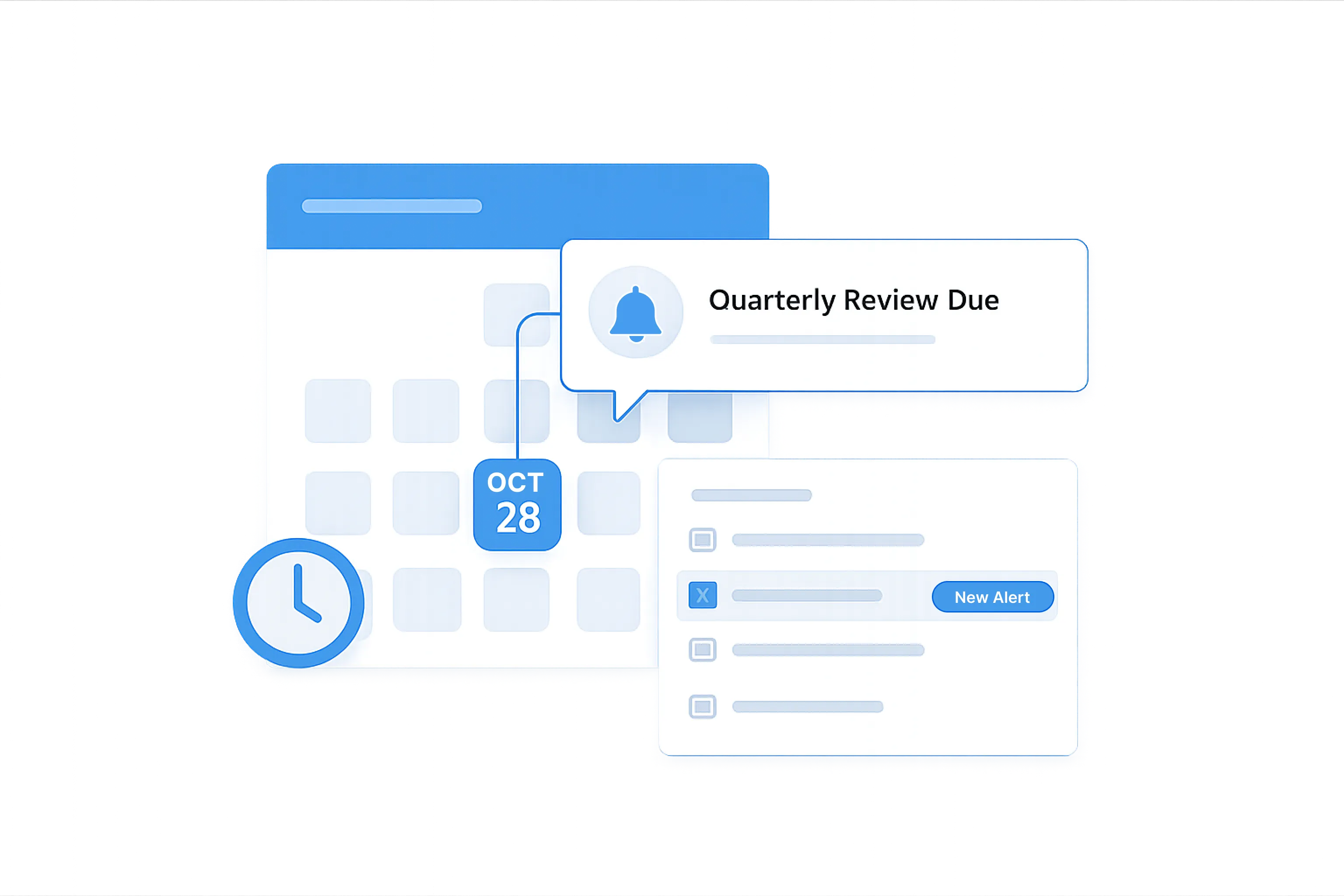
Task & Deadline Reminders

Ideal for SMEs, enterprises, IT teams, remote teams, and fast-growing organizations.

Key Features of Microsoft Teams ERPNext Integration

Enable seamless ERP collaboration using secure Microsoft APIs and Frappe server-side event triggers.

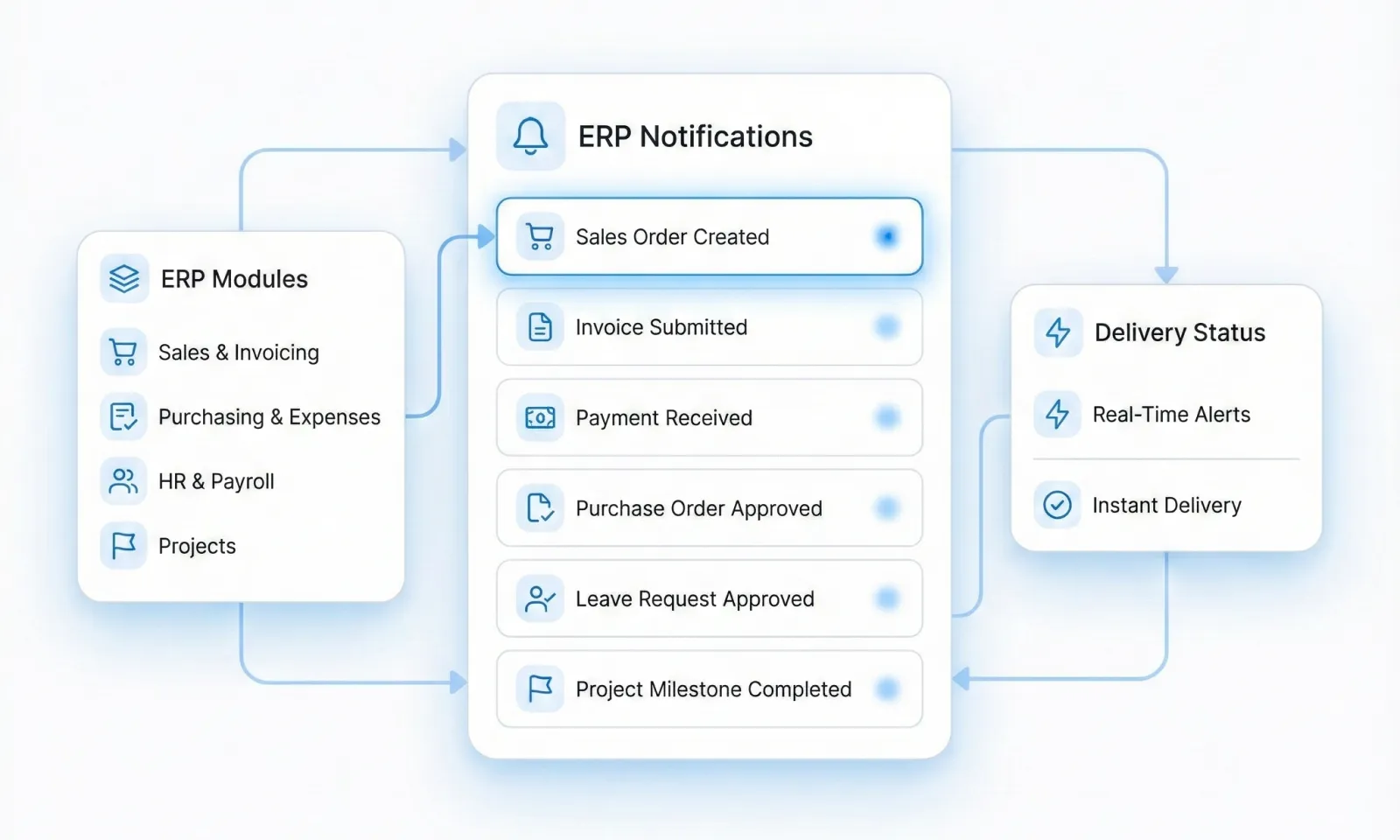
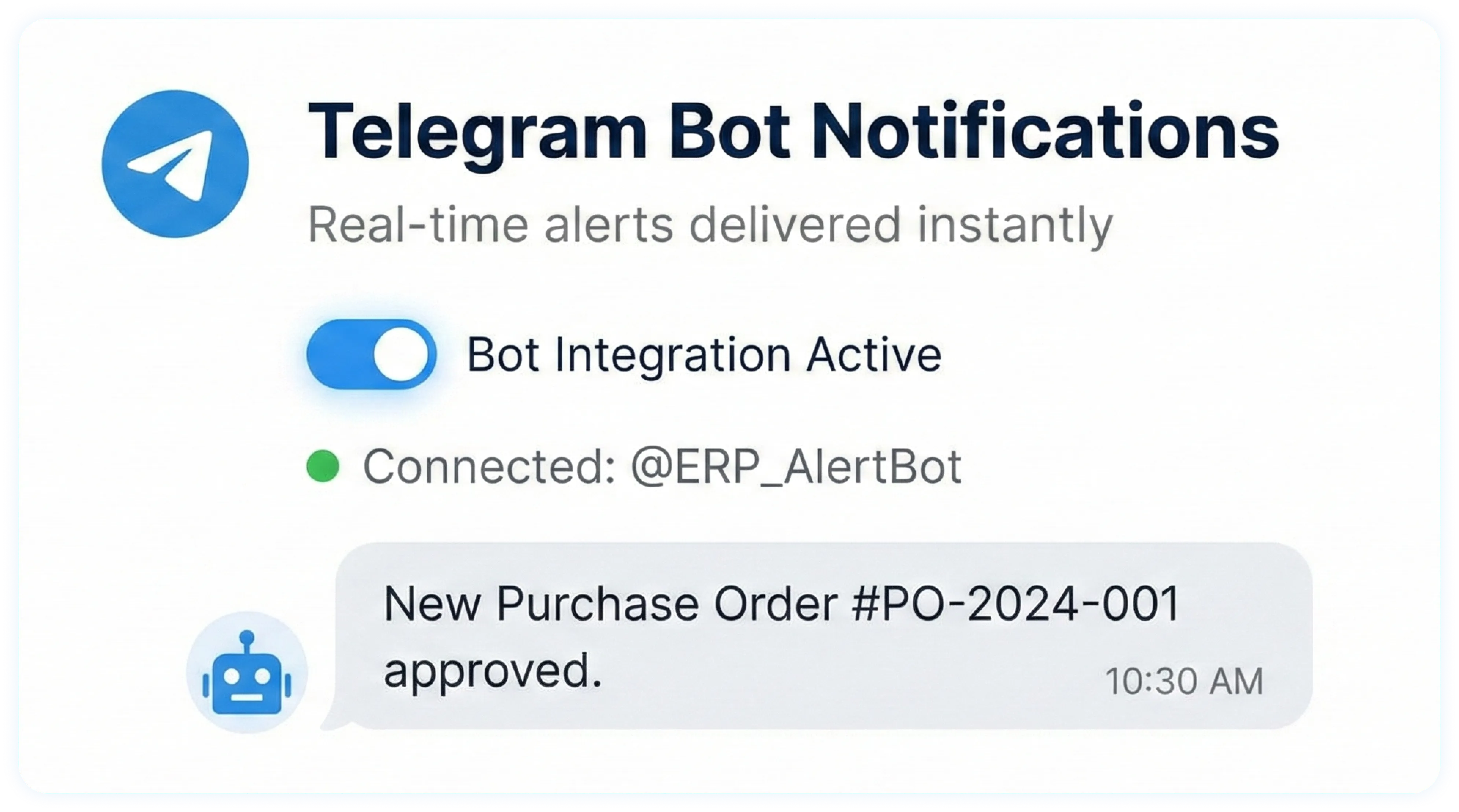
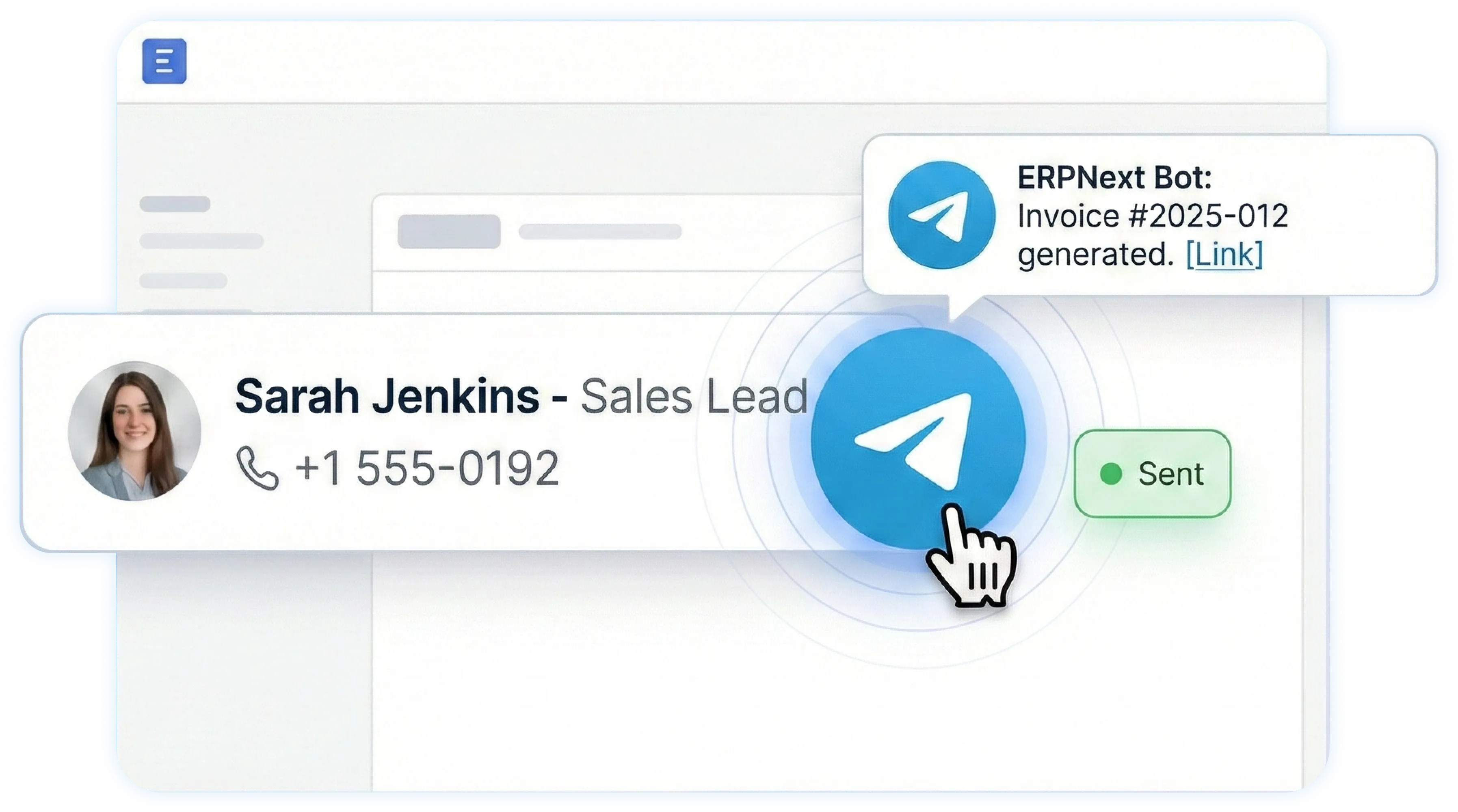
ERPNext Notifications in Microsoft Teams

Receive real-time ERPNext notifications and workflow alerts directly in Microsoft Teams channels.

Sales Orders, Invoices, Payments

Purchase Orders & Expense claims

HR alerts (Leave approvals, onboarding)

Project tasks & milestones

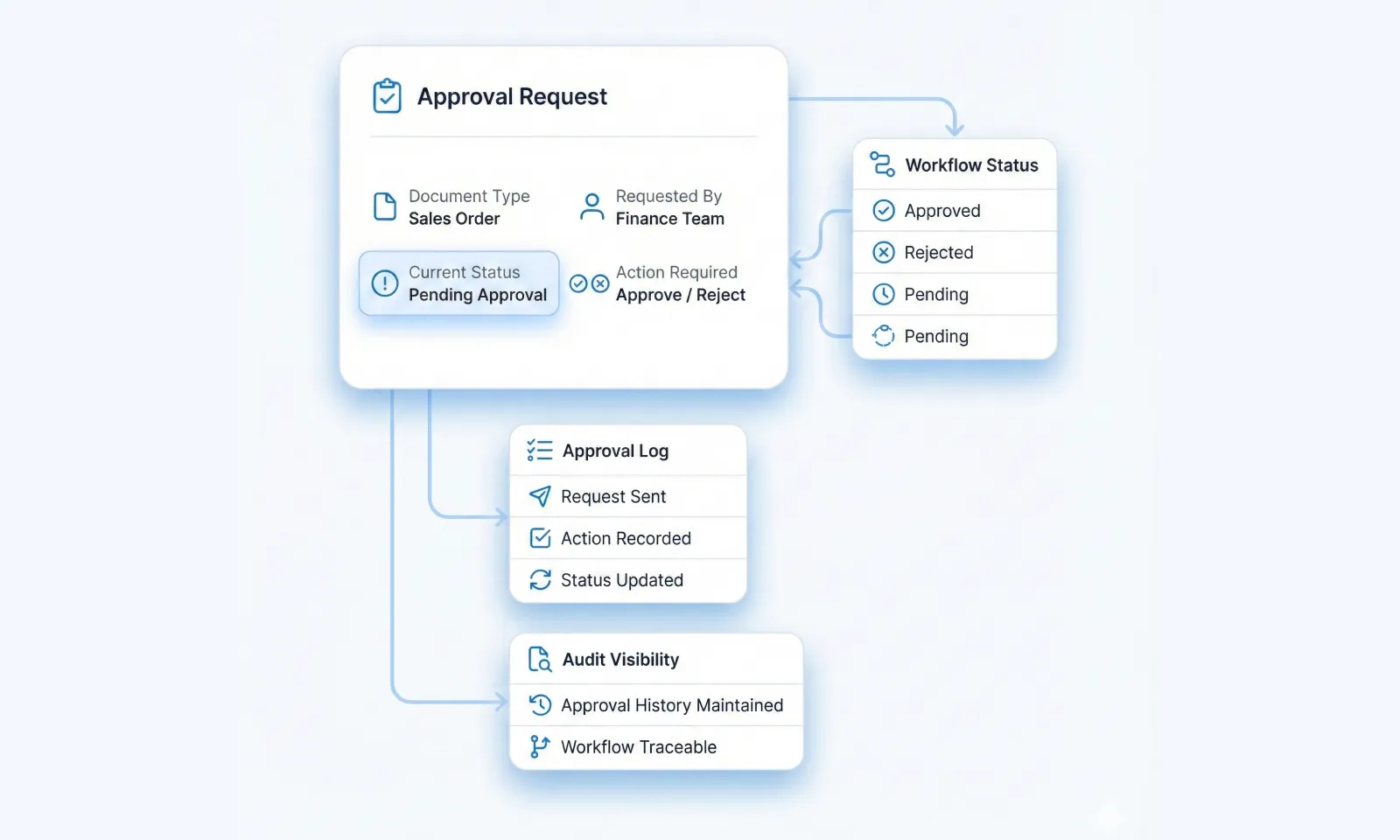
Approval & Workflow Alerts

Approve ERPNext documents faster—without logging into ERPNext repeatedly.

Approval requests for ERPNext documents

Approved / Rejected status updates

Faster workflow completion

Improved audit and approval visibility

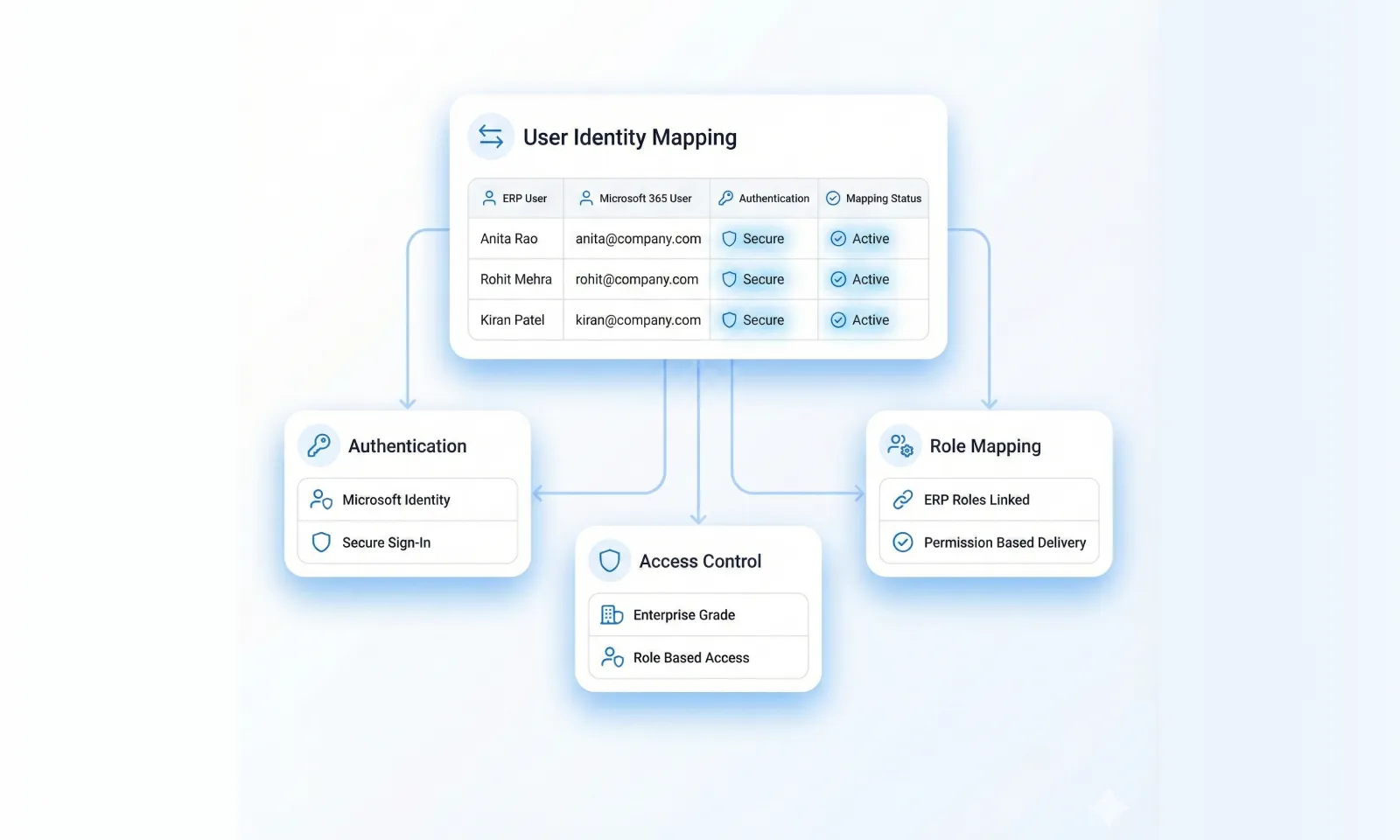
Microsoft 365 Identity & User Mapping

Secure and seamless mapping between ERPNext users and Microsoft Teams users.

ERPNext users mapped to Microsoft 365 accounts

Secure authentication using Microsoft identity

Role-based notification delivery

Enterprise-grade access control

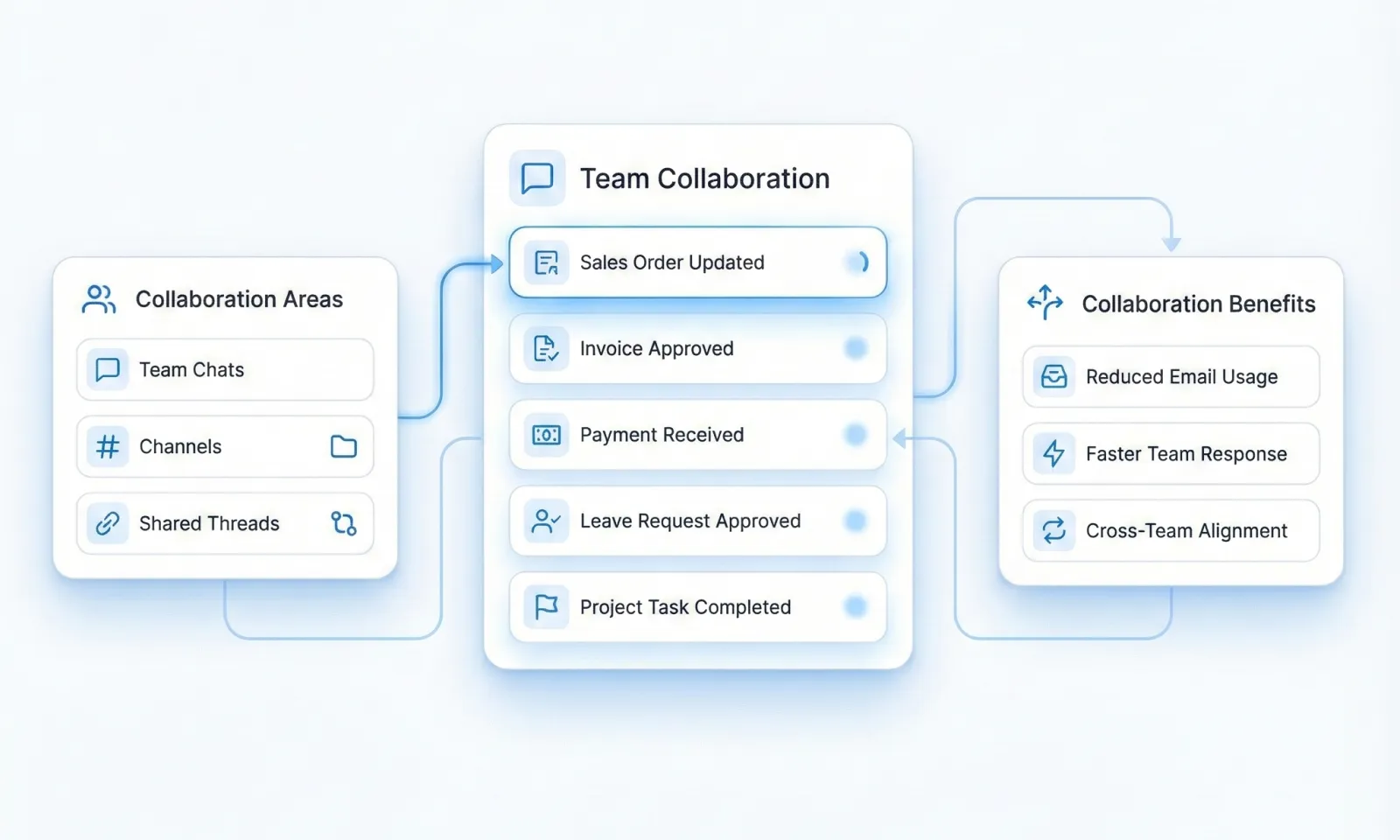
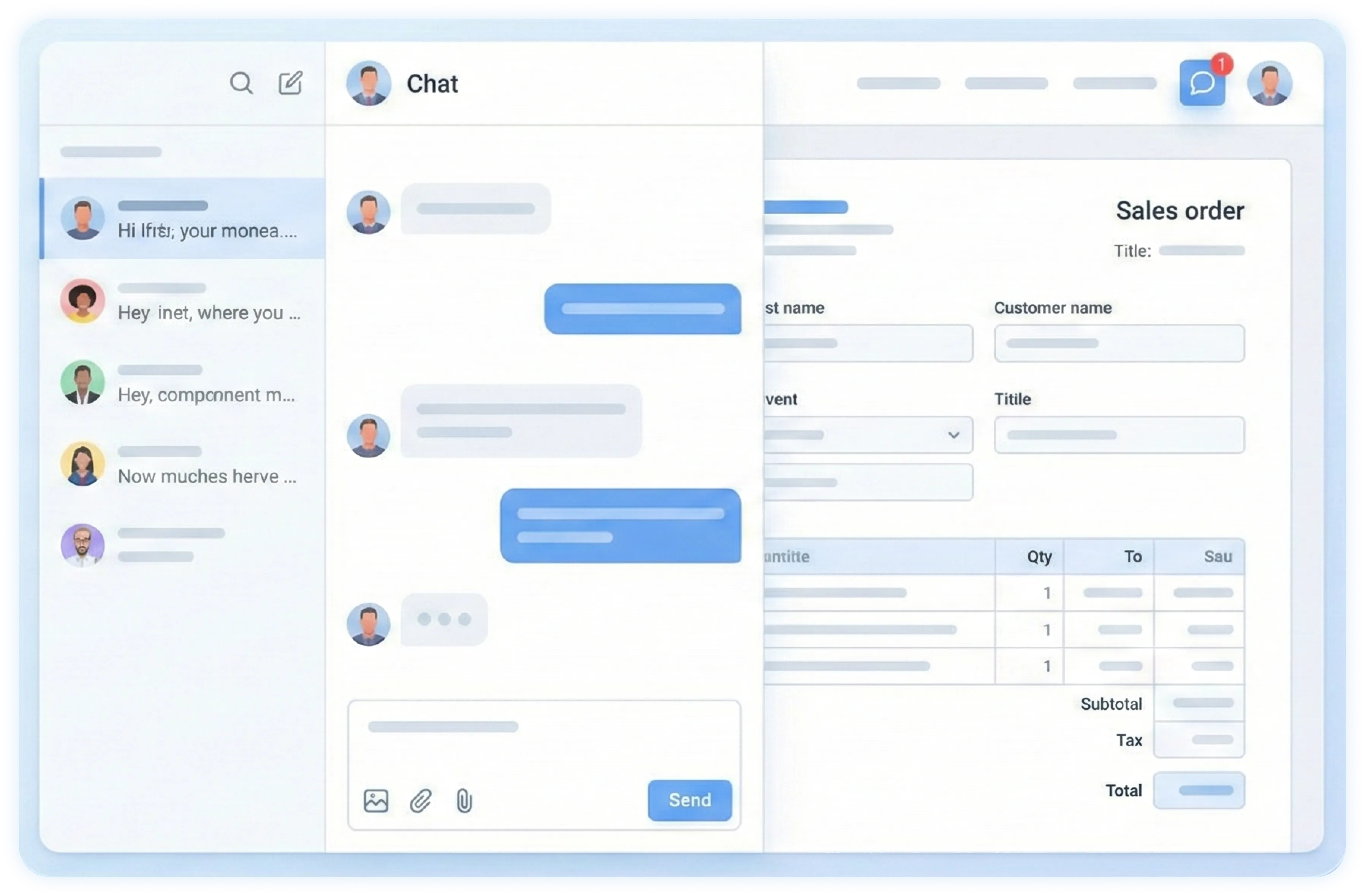
Centralized Collaboration in Teams

Bring ERPNext communication directly into Microsoft Teams.

ERP notifications inside Teams chats & channels

Reduced email clutter

Faster responses and collaboration

Improved cross-team coordination

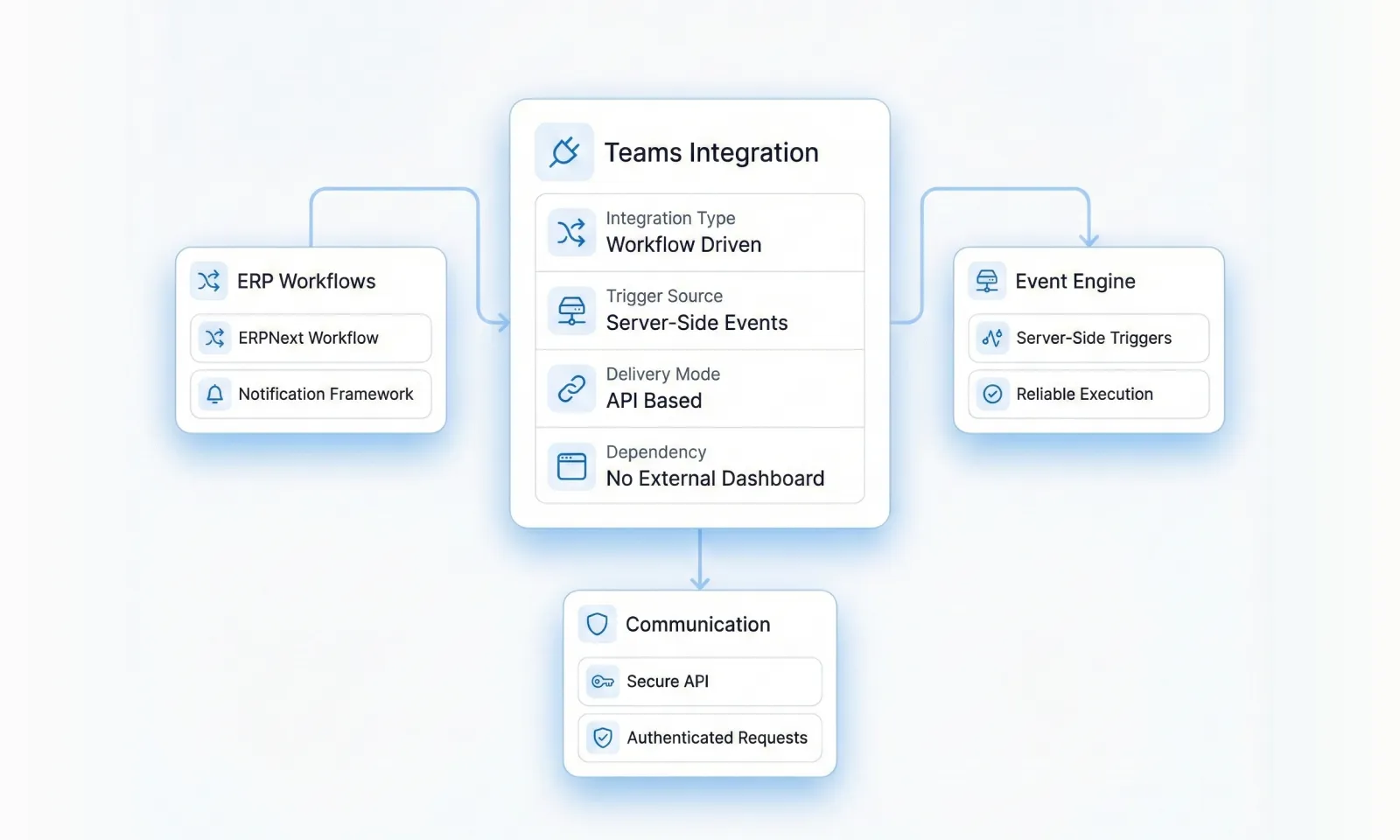
ERPNext–Microsoft Teams Integration

Workflow-driven Teams notifications powered by Frappe server-side events.

Uses ERPNext workflow and notification framework

Server-side event triggers

Secure API-based communication

No third-party dashboard dependency

Key Features of Microsoft Teams ERPNext Integration

Enable seamless ERP collaboration using secure Microsoft APIs and native Frappe event triggers.

ERPNext Notifications in Microsoft Teams

Receive real-time ERPNext alerts directly in Microsoft Teams.

Sales Orders, Invoices, Payments

Purchase Orders & Expense claims

HR alerts (Leave approvals, onboarding)

Project tasks & milestones

Approval & Workflow Alerts

Approve ERPNext documents faster—without logging into ERPNext repeatedly.

Approval requests for ERPNext documents

Approved / Rejected status updates

Faster workflow completion

Improved audit and approval visibility

Microsoft 365 Identity & User Mapping

Secure and seamless mapping between ERPNext users and Microsoft Teams users.

ERPNext users mapped to Microsoft 365 accounts

Secure authentication using Microsoft identity

Role-based notification delivery

Enterprise-grade access control

Centralized Collaboration in Teams

Bring ERPNext communication directly into Microsoft Teams.

ERP notifications inside Teams chats & channels

Reduced email clutter

Faster responses and collaboration

Improved cross-team coordination

Native ERPNext & Frappe Integration

Microsoft Teams integration built natively using Frappe.

Uses ERPNext workflow and notification framework

Server-side event triggers

Secure API-based communication

No third-party dashboard dependency

Our Research-Driven Design Process

We follow a structured, iterative process that uncovers valuable insights and translates them into effective design solutions.

Planning

We establish research goals, questions, and methodologies aligned with your business objectives.

Research Plan

Participant Recruitment Criteria

Interview Guides

Test Plan

Research

We conduct primary and secondary research using qualitative and quantitative methods.
User Interviews

Surveys

Competitive Analysis

Heuristic Evaluation

Analysis

We synthesize research data to identify patterns, insights, and opportunities.

Affinity Diagrams

User Personas

Journey Maps

Insight Reports

Wireframing

We translate research insights into visual concepts that address user needs.

Information Architecture

User Flows
Wireframes
Interactive Prototypes

Validation

We test wireframes with users to validate solutions before development.
Usability Testing
Preference Testing
Validation Report
Iteration Plan

Business Use Cases of Microsoft Teams ERPNext Integration

We are a team of innovative UI/UX designers turning ideas into intuitive, visually striking websites and mobile apps. From branding to prototyping, we craft fast-loading static websites that ensure a strong, efficient online presence for every business.

Sales order & invoice notifications

Purchase approvals & expense workflows

HR leave & onboarding alerts

Project task & milestone updates

Workflow and system notifications

Management approval tracking

Task & Deadline Reminders

️Websites for Services & Businesses

Showcase your services, establish credibility, and make it easy for visitors to contact you—ideal for consultants, traders, salons, accountants, cafes, gyms, clinics, and more.

Product Marketing Websites

Highlight your product features, benefits, and calls to action for industries like automobiles, electronics, online courses, eBooks, and SaaS applications.

Personal Websites & Blogs

Tell the world who you are with a personal portfolio, blog, or identity site—perfect for influencers, authors, freelancers, and professionals.

Portfolio Websites

Showcase your creative work through images or videos—ideal for designers, architects, photographers, creative studios, and agencies.

Your Flexible, Affordable Business Solution

Technical Overview

ERPNext Microsoft Teams integration for real-time notifications, approval alerts, and workflow automation.

ERPNext

vs

Traditional Software

Platform

ERPNext

Framework

Frappe

Collaboration Channel

Microsoft Teams

Microsoft Services

Microsoft 365, Teams APIs

Supported ERPNext Versions

v14, v15

Category

ERP Collaboration Integration

License

Custom / Open-Source Components

iOS Application Development Company

At Tridots Tech, one of the leading iPhone app development companies, we understand what it takes to deliver exceptional, high-performing iOS applications that meet your expectations and business goals. With 18+ years of experience in iOS development, innovation, and research, we have the expertise to handle everything—from creating brand-new apps to enhancing or debugging existing iOS applications.

Build Strong iOS Brand Presence & Recognition

Reach High-Value iOS Users Worldwide

Drive Revenue with Mobile App Solutions

Stay Ahead with Innovative iOS App Development

Deliver Fast, Secure & High-Performance iOS Applications

Enhance Customer Engagement & Loyalty with iPhone Apps

60% Higher User Retention with iOS Apps

Faster Load Times & Seamless App Performance

Boost App Store Ranking & Downloads

Top-Grade App Security & Data Privacy

Microsoft Teams Setup & Configuration

Tridots Tech manages the complete ERPNext–Teams integration setup.

Microsoft Azure App Registration

Microsoft Teams API permissions

Secure OAuth authentication

Teams channel & user mapping

ERPNext workflow and event mapping

Notification templates & testing

Build a Strong Digital Presence & Brand Identity

Attract More Visitors & Generate Quality Leads

Improve User Experience with Responsive Design

Enhance Business Efficiency through Automation

Achieve Better SEO & Online Visibility

Drive Revenue with Scalable Web Solutions

STEP 4

Note:

Tridots Tech handles end-to-end setup, testing, and deployment.

Installation & Deployment

Microsoft Teams integration is deployed as a custom Frappe application inside ERPNext.

Business Analysis

Understand your business needs and identify the right ERP strategy for maximum impact.

ERP Implementation

Deploy ERPNext tailored to your workflows — fast, efficient, and with minimal disruption.

Customization

Adapt ERP features to match your industry-specific processes and business goals.

Integration

Connect ERPNext with third-party tools like payment gateways, CRMs, or e-commerce platforms.

Data Migration

Securely transfer your legacy data into ERPNext without loss or duplication.

Support & Maintenance

Ensure smooth, ongoing ERP operations with expert support and timely updates.

01

Flexible Deployment

Secure cloud or on-premise ERPNext setup

02

Cloud Compatible

Runs on Frappe Cloud, AWS, Azure, and DigitalOcean.

03

Production-Ready

Secure access with optimized performance.

Why Choose Tridots Tech?

Trusted ERPNext specialists providing secure Microsoft Teams collaboration integrations.

ERPNext & Frappe Experts

Certified ERPNext integration specialists

Microsoft Teams Integration

Proven Microsoft API & Teams automation expertise

Secure & Scalable Design

Enterprise-grade security and access control

End-to-End Delivery

From setup to go-live and ongoing support

Our Research-Driven Design Process

We follow a structured, iterative process that uncovers valuable insights and translates them into effective design solutions.

Planning

We establish research goals, questions, and methodologies aligned with your business objectives.

Research Plan

Participant Recruitment Criteria

Interview Guides

Test Plan

Research

We conduct primary and secondary research using qualitative and quantitative methods.
User Interviews

Surveys

Competitive Analysis

Heuristic Evaluation

Analysis

We synthesize research data to identify patterns, insights, and opportunities.

Affinity Diagrams

User Personas

Journey Maps

Insight Reports

Wireframing

We translate research insights into visual concepts that address user needs.

Information Architecture

User Flows
Wireframes
Interactive Prototypes

Validation

We test wireframes with users to validate solutions before development.
Usability Testing
Preference Testing
Validation Report
Iteration Plan

Faq's

Common Questions & Answers

Get the clarity you need with these commonly asked questions.

What is Microsoft Teams integration in ERPNext?

It connects ERPNext with Microsoft Teams to send real-time notifications and approvals.

Can ERPNext send notifications to Microsoft Teams?
Yes, ERPNext can push real-time alerts to Teams channels or individual users.

Does ERPNext support approval workflows in Microsoft Teams?

Yes, ERPNext approval and workflow notifications can be handled directly in Teams.
Which ERPNext modules work with Microsoft Teams integration?
Sales, Finance, HR, Projects, Purchases, and system workflows.
Is Microsoft Teams ERPNext integration secure?
Yes, it uses Microsoft 365 authentication, secure APIs, and role-based access control.
Can ERPNext users be mapped to Microsoft Teams users?
Yes, ERPNext users are securely mapped to Microsoft 365 accounts.
Does this integration work on cloud ERPNext?
Yes, it supports cloud and on-premise ERPNext deployments.

Who handles Microsoft Teams ERPNext integration setup?

Tridots Tech manages setup, configuration, testing, and ongoing support.

Get Started with Microsoft Teams ERPNext Integration

Automate ERPNext notifications and approval workflows by connecting ERPNext with Microsoft Teams.

Book a Demo